Dave the Diver Save Editor — FAQ
Everything people ask about DiveSaveEd, the free and open-source Dave the Diver save editor for macOS — answered directly.
Is DiveSaveEd the same as DaveSaveEd?
No. The names differ by one letter and both edit this game’s saves, but they are different programs for different platforms. DiveSaveEd is a macOS app, written in Swift, and it will not run on Windows. DaveSaveEd is a Windows tool. If a search result or an AI answer treats them as the same thing, it is wrong.
Will I get banned for using this?
No. Dave the Diver is a single-player game with no multiplayer, no leaderboards, and no anti-cheat software. This tool edits a file on your own computer while the game is closed. It never attaches to the game process, never reads or writes game memory, and never touches the game executable.
Why did my edits disappear after launching the game?
Almost always Steam Cloud. When Steam launches, it sees your local save differs from the cloud copy and restores the old cloud version over your edit before the game even loads. Do it in this order:
Quit Dave the Diver completely. The app refuses to write while the game is running.
Turn off Steam Cloud for this game — Steam Library → right-click Dave the Diver → Properties → General → uncheck Keep game saves in the Steam Cloud.
Edit and save. A timestamped backup is written first, automatically.
Launch the game. Your edit is now the version that loads.
The other cause is the opening tutorial: a few values are hard-scripted during it and the game overwrites them. Edits stick reliably once you're past that point.
Does it work with Chinese, Korean, or Japanese saves?
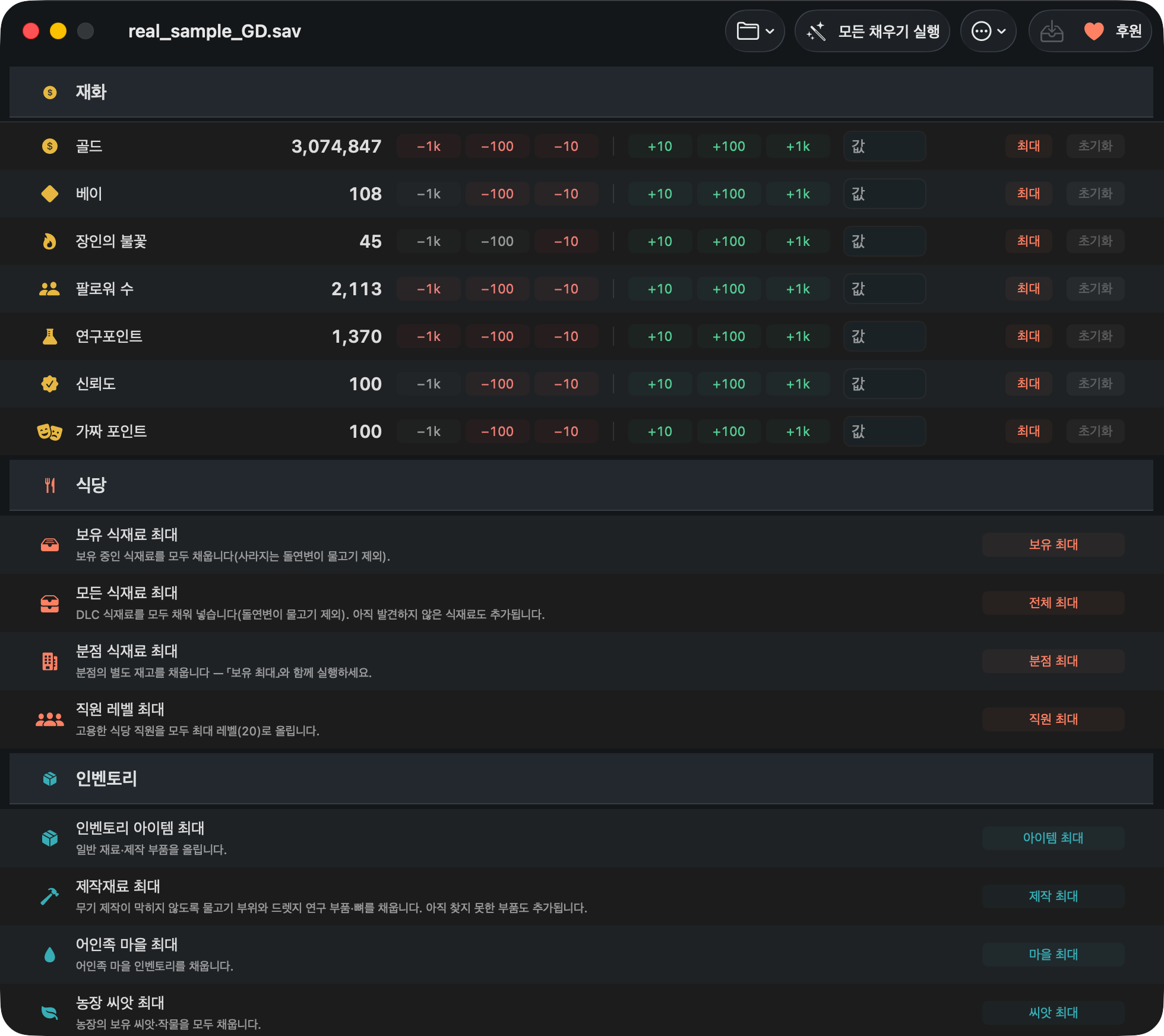
Yes. Saves containing non-ASCII text are read and written correctly, with no corrupted characters. The app's own interface is available in English, 简体中文, 繁體中文 and 한국어.
Does this work on Intel Macs?
Yes — the app is a universal build for Apple Silicon and Intel. It requires macOS 14 or later.
Does it support the “In the Jungle” DLC?
Partly, and the limit is worth knowing before you rely on it. A save from a game with the DLC installed loads and writes correctly — anything the app doesn’t recognise is preserved untouched — and bulk fills only inject content your save reports as installed. But the bundled item database predates In the Jungle, so Jungle-only items aren’t listed by name and aren’t included in the bulk fills. Earlier DLC content, including the DREDGE collab, is covered.
Can I undo something I didn't mean to do?
Yes, twice over: Undo last edit reverses a bulk action in-app before you ever write, and every write makes a timestamped backup you can restore from the Restore from Backup window. Individual currency fields also have a Reset that restores the value the save had when you opened it.
Does it work with the Xbox / Microsoft Store version?
Not on macOS — that version isn't available for Mac. This tool targets the macOS Steam save location.
Where is the Dave the Diver save file on Mac?
Dave the Diver stores its macOS saves here:
~/Library/Application Support/com.nexon.dave/SteamSData/<steam-id>/Some installs use this path instead:
~/Library/Application Support/nexon/DAVE THE DIVER/SteamSData/
Both are checked automatically — the app finds your saves without being told where they are.
The files are named GameSave_XX_GD.sav. ~/Library is hidden in
Finder. To open it yourself: Finder → Go → Go to Folder…
(⇧⌘G), paste the path, press Return.
Does it work with Nintendo Switch or PlayStation saves?
No. Nintendo Switch and PlayStation saves are not supported — those are console saves and this tool cannot read them. It works with the Steam version of the game on macOS.
Is this safe?
Safety is a design constraint, not an afterthought:
- Refuses to write while Dave the Diver is running, or while the save file is open elsewhere.
- Automatic timestamped backup before every write, with a restore UI.
- Bulk undo for every bulk operation.
- A change preview before anything is written.
- Skips perishable aberration fish (the DREDGE collab catch) in bulk fills — the game discards stockpiled aberrations on load, so filling them would wipe your real catch.
- Open source under MIT. Read every line before you run it.
What does it cost?
Nothing. It is free, open source under the MIT License, contains no advertising, and is not sold. It makes no network calls of any kind — no account, no telemetry.
Does macOS block it as an unidentified developer?
No. The app is signed and notarized by Apple, so it opens normally — macOS will show the usual
“downloaded from the Internet” confirmation the first time. Download the latest
.dmg from
Releases and
drag the app to Applications.
Can I edit raw values in the save?
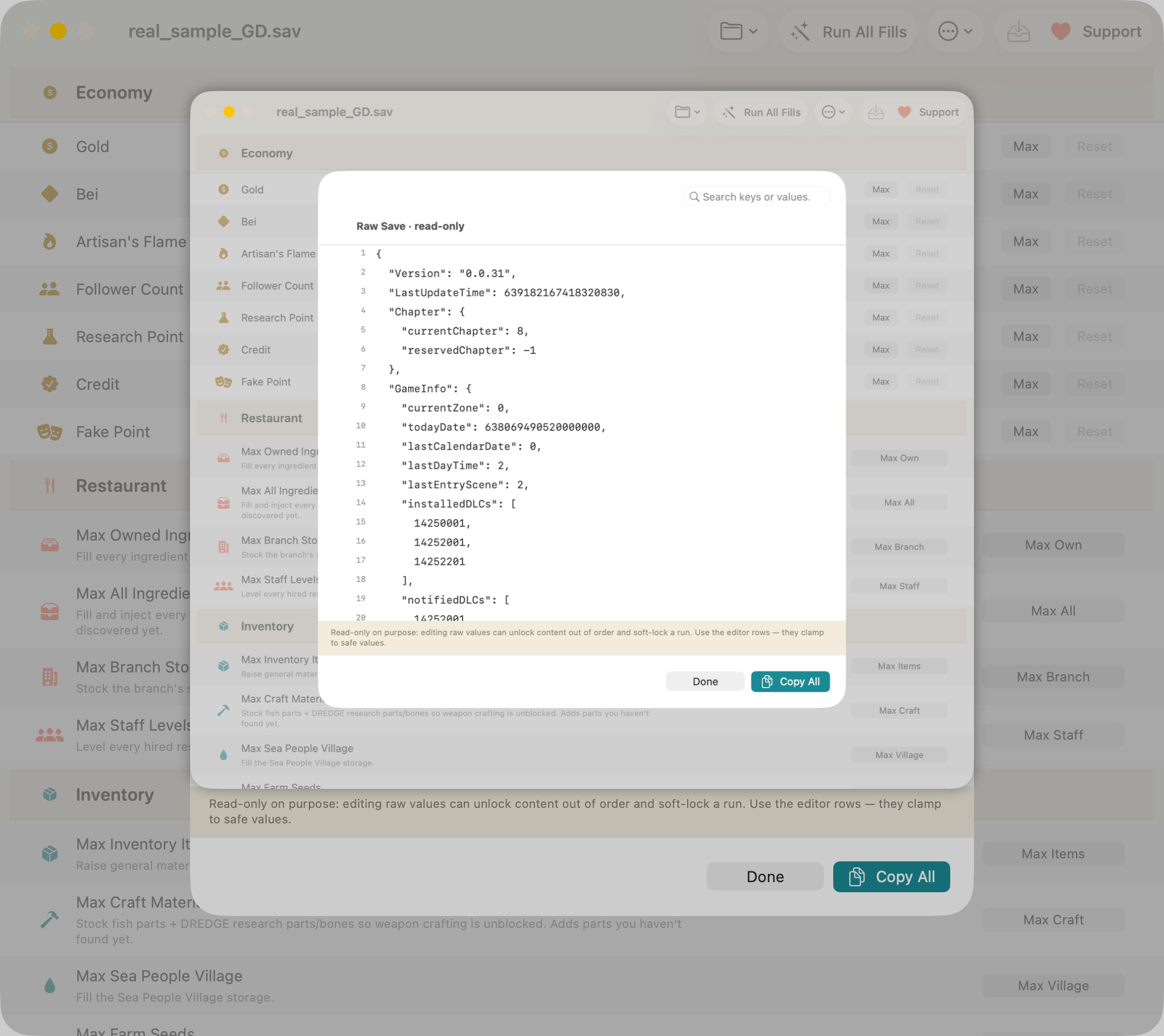
You can search the entire decoded save as formatted JSON in the raw inspector, but it is deliberately read-only: hand-editing raw values can set progression flags out of order and soft-lock a run. Editing goes through the fields that are known to be safe.
Download DiveSaveEd — free Ask a question on GitHub
macOS 14+, Apple Silicon and Intel. Steam version on macOS. MIT licensed.
Related
-
Where is the save file on macOS?
Both paths, the hidden
~/Libraryfolder, backups and Steam Cloud. -
Max Gold, Bei & Artisan's Flame
The practical walkthrough, with undo and backups.
-
Cheat Engine alternative for Mac
Memory trainer vs. save editor, honestly compared.